How to Use BOS
The Biodiversity of Singapore website is a Digital Reference Collection of Singapore's diverse flora and fauna, with application for both casual perusal and learning about Singapore's Biodiversity as well as facilitating research work and sharing.
Navigating BOS
If you already know which taxa you're interested in, you may simply input the name of the taxa in the search bar of the home page.
If you'd simply like to explore the photo archive, BOS features an intuitive Taxonomy Browser which allows you to progress down to increasingly specific groups of plants and animals.
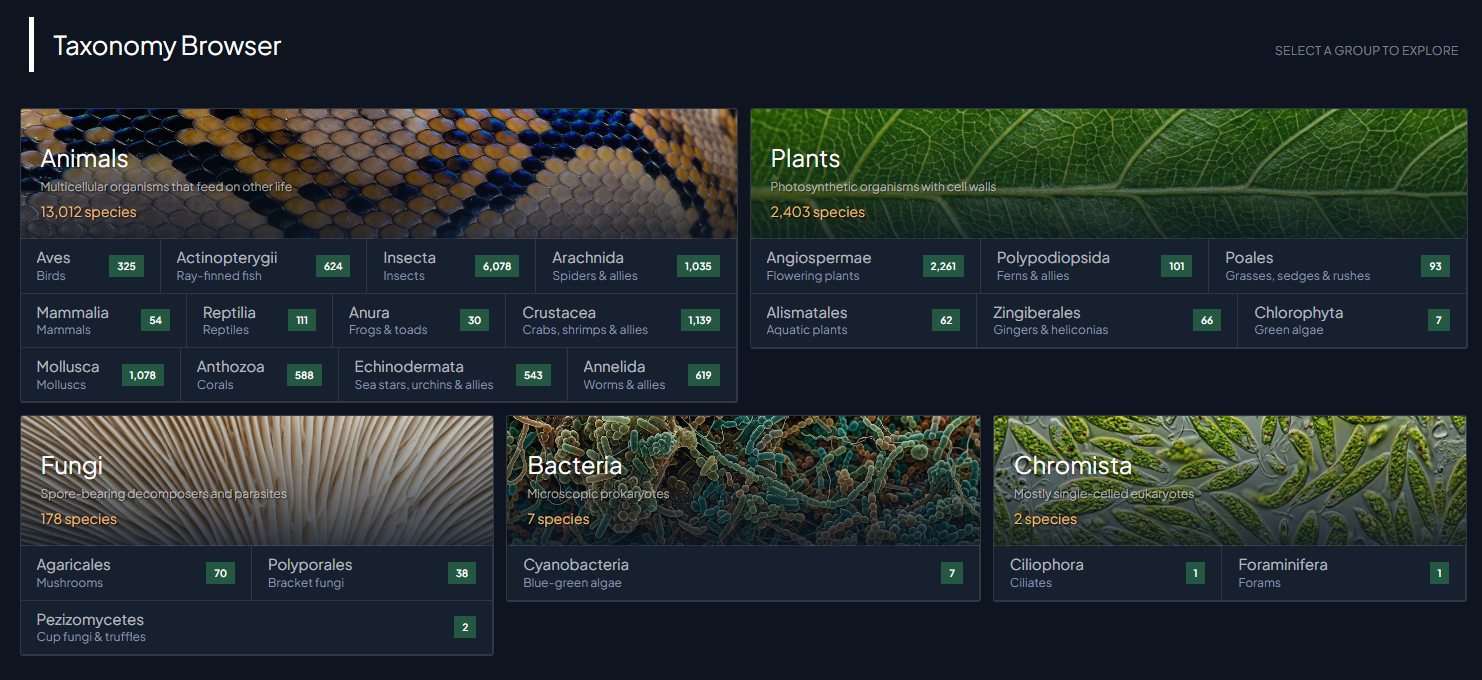
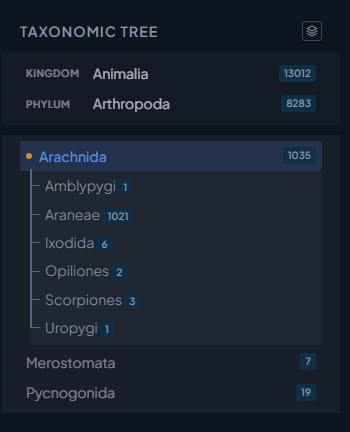
Simply click into the group that interests you and follow the taxonomic tree (on the left of the screen) to see all the lower classifications for your group of interest. Each level will have a small description to show a description of the group or species you eventually navigate to.
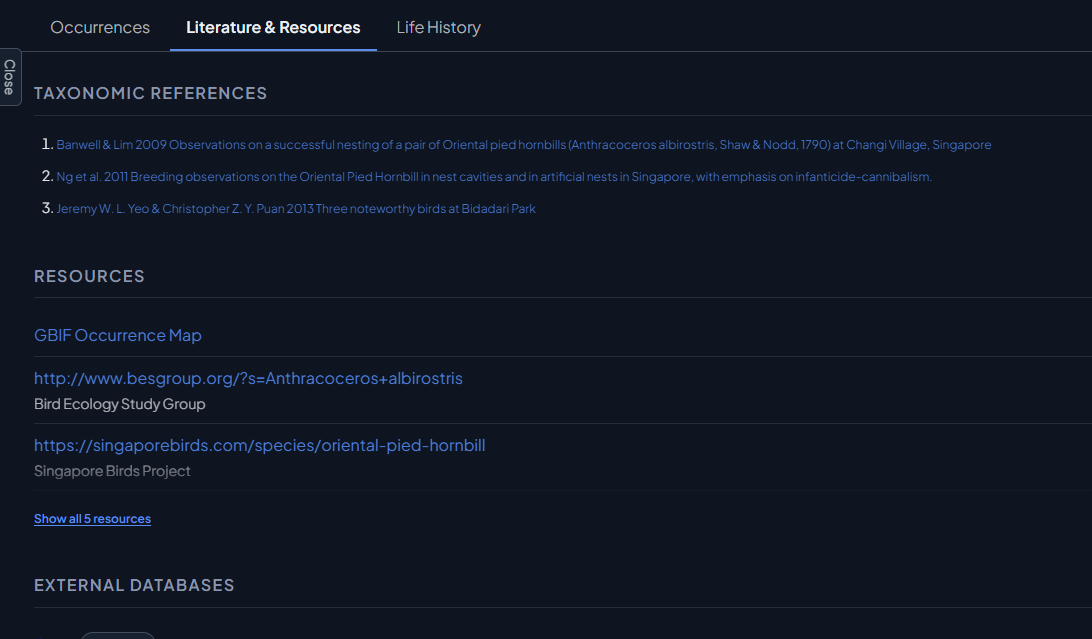
BOS also features links to some literature and external resources and Life History Information, which is accessible by clicking into the tabs on each taxon page.
Comparing Taxa
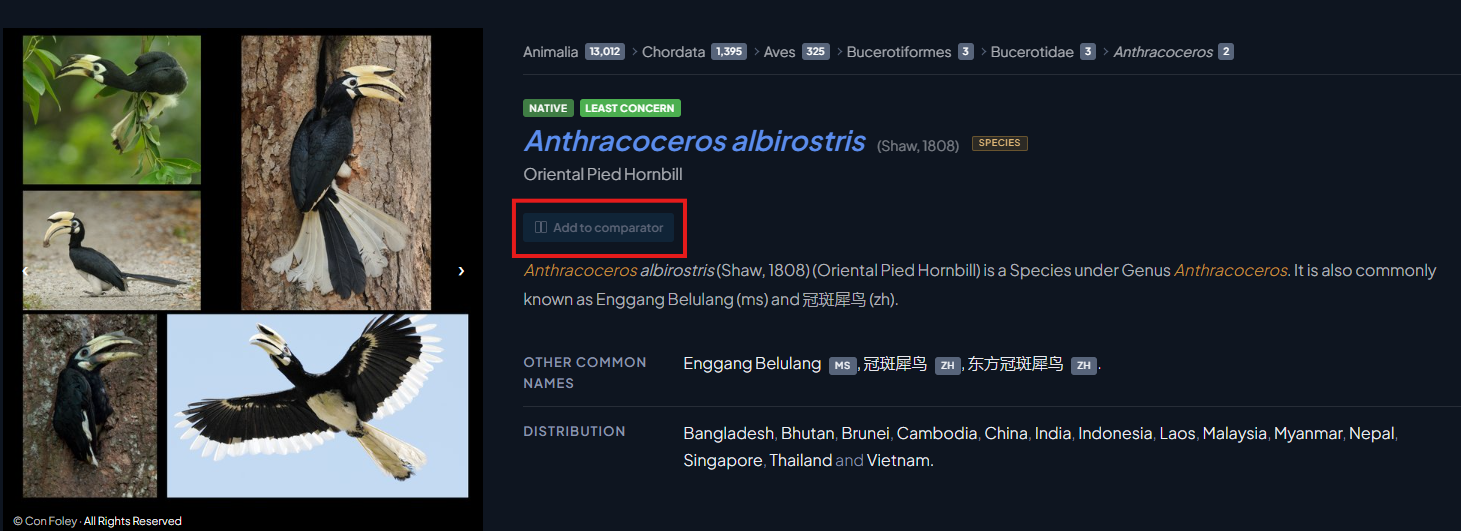
If you'd like to do comparisons between photos, BOS comes with a handy comparator which allows side by side comparisons of photos. To add a image to the comparator, simply click the "Add to comparator" button on each taxa page, keep doing this as you navigate to add more taxa to the comparator tool until you are ready to view them.

Then once ready to begin comparing click on the "Comparator" button at the bottom right of your screen to begin comparing.
Feedback and Corrections
If you'd like to provide input on the taxa, or feel that anything is wrong or misleading we'd love to hear from you! Each taxa page has a submit feedback button at the bottom of the page.

Then simply fill up the feedback form and we'll look into it ASAP.
Using Images and Citing BOS

BOS does not provide downloadable high resolution images for download. If you'd like to use high-res images, please contact [email protected]. If you do use any of our images, or information, you may cite the portal with the text shown when clicking "cite this page" at the bottom of each taxon page.